Screen video
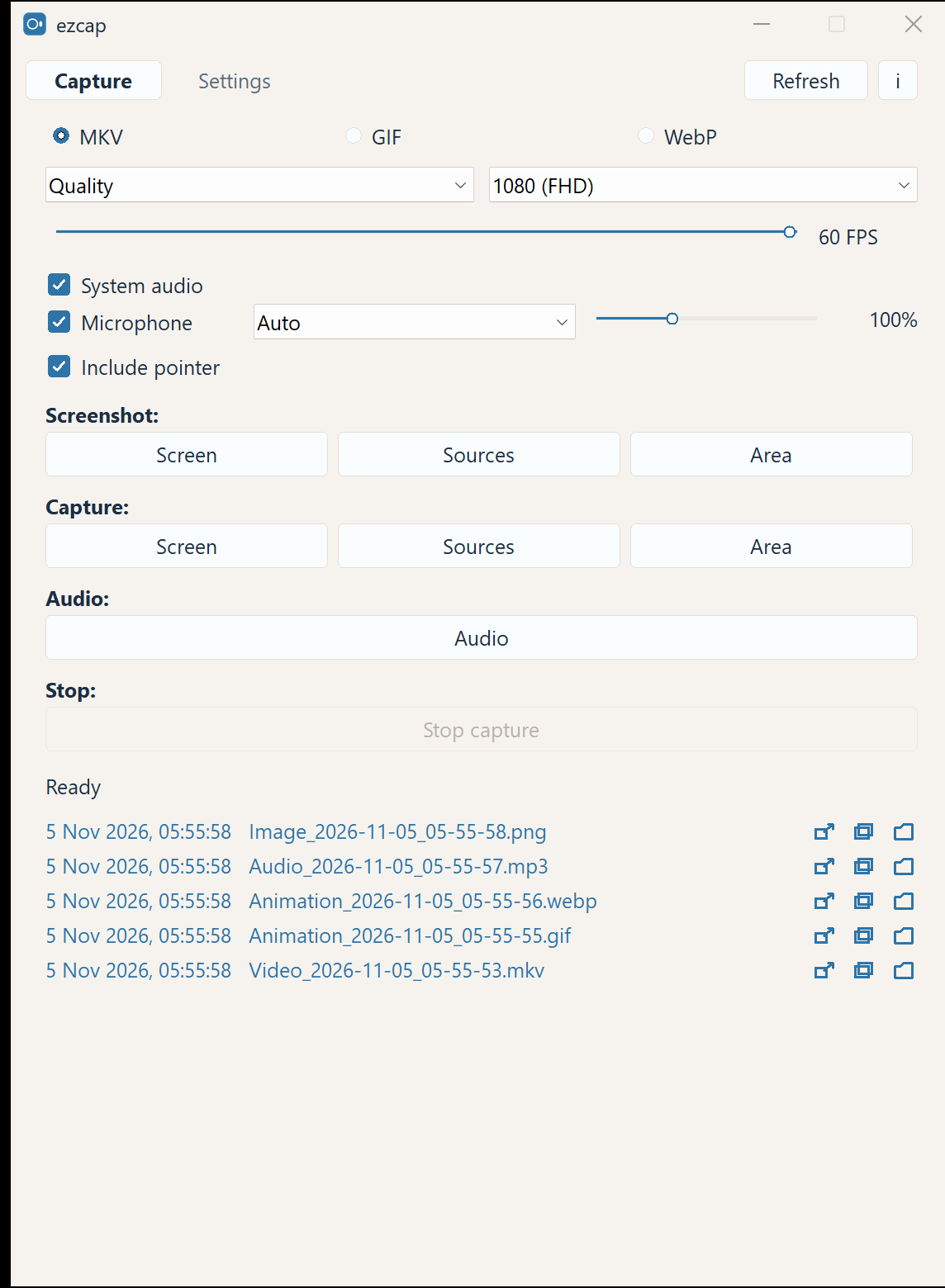
Record the whole screen, one window, or a region. Up to 1080p and 60 FPS, saved as MKV.
 ezcap
GitHub
ezcap stays out of the way: one click to record, a region screenshot, a GIF, and clean audio. No heavy editor. Press the button and keep the file.
Free · source under MIT · the app with FFmpeg under GPL · no cloud and no account
Nothing you don't. Just the tools you use every day.
Record the whole screen, one window, or a region. Up to 1080p and 60 FPS, saved as MKV.
The whole screen, one window, or any region. Saved as PNG with one press.
Capture a short animation for a chat or an article. ezcap builds the GIF or WebP.
System sound and the microphone together, with a separate mic boost. Audio only is fine too.
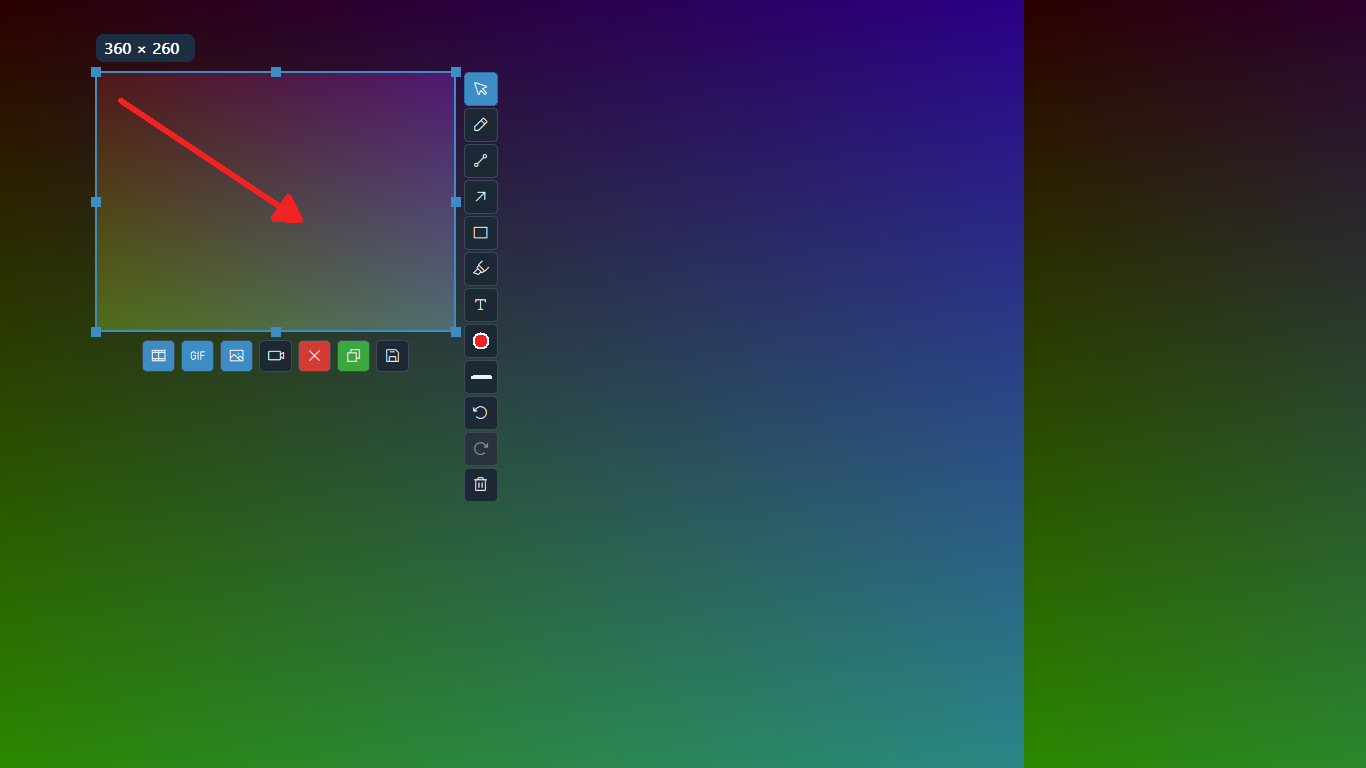
Select an area, then draw an arrow, add text, or cover something. Save it, copy it, or record it.
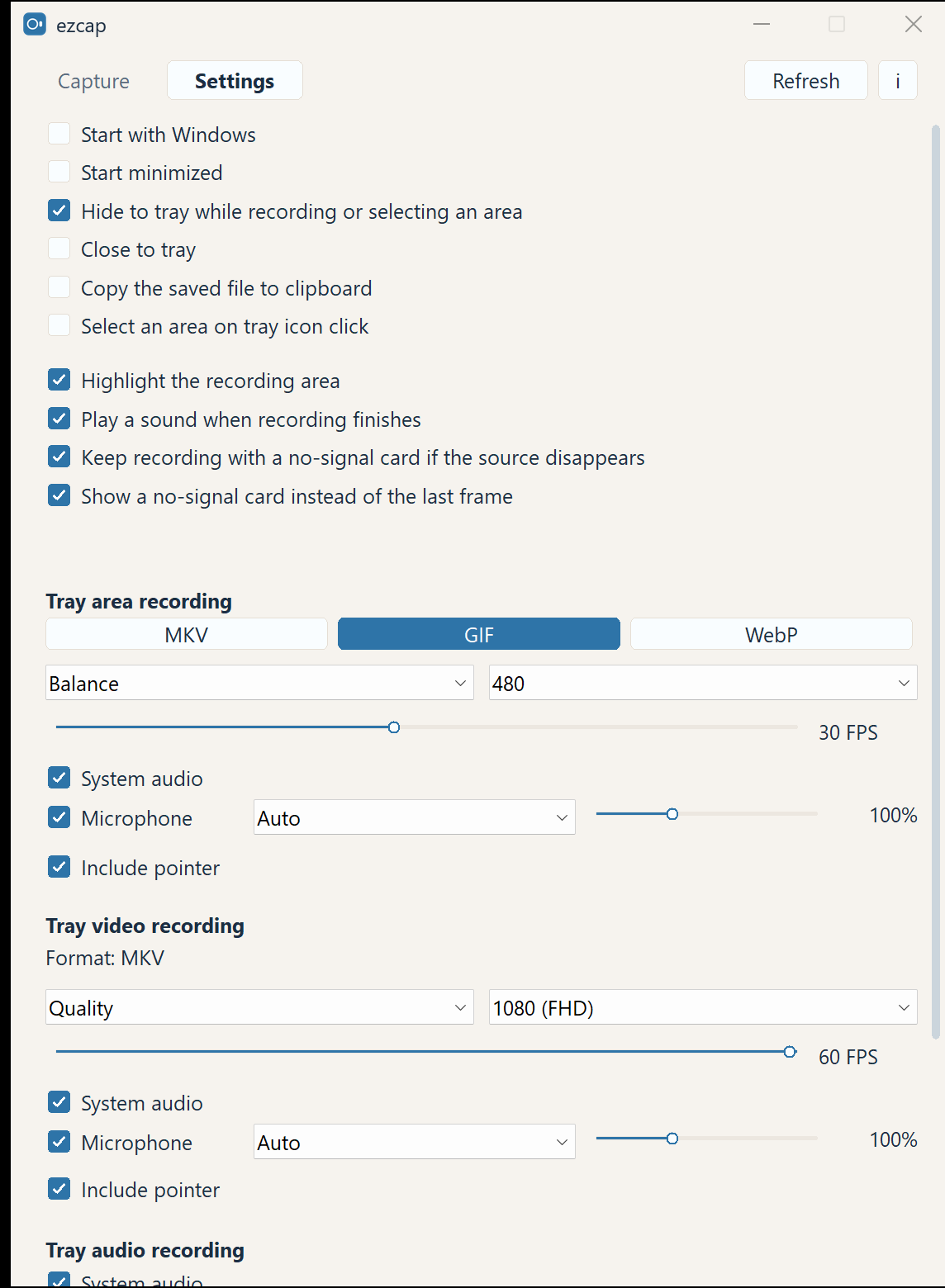
It lives in the tray. Click the icon and recording starts. Recent files can be copied or shown in the folder.
Windows 10/11, 64-bit. Both files are built from the source. The hashes below show the file was not replaced.
A normal install for every user on the computer.
ezcap-0.2.1-windows-x64-setup.exeUnpack the archive and run ezcap.exe. Nothing to install.
ezcap-0.2.1-windows-x64.zipEvery version, the source, and the history are on GitHub ↗
The ezcap source is under the MIT license. The downloadable program includes FFmpeg and x264, so the program file itself is distributed under the GNU GPL version 2 or later. Overlay icons are from Phosphor Icons, MIT. The zip and the install folder include COPYING, NOTICE, and THIRD-PARTY.txt, with the texts for FFmpeg, x264, zlib, libwebp, LAME, and the Rust crates.